
There is no Spinkong app. The casino has no native application for iOS or Android, and nothing official is published in the App Store or Google Play. The site runs in mobile browsers with the same games, cashier and promotions as on desktop, and on iPhone it can be saved to the home screen through Safari's "Add to Home Screen" option, which creates an icon that opens the site in a full-screen window. Any file offered as a "Spinkong APK" or app download comes from a third party. Spinkong is licensed in Curaçao and has no UK Gambling Commission licence.
This page covers what the mobile version contains, how the Safari shortcut works, why unofficial app files are a risk, how payments behave on mobile and what UK residents should know about the site's regulatory status.
| Feature | Mobile browser details |
|---|---|
| Native app | None for iOS or Android |
| App Store / Google Play | No official listing |
| iOS access | Safari or another mobile browser |
| Android access | Chrome or another mobile browser |
| Home screen shortcut | Through Safari's Share menu on iPhone |
| Game catalogue | About 6,400 titles, same as desktop |
| Cashier | GBP cards and bank transfer £20-£4,000, 11 cryptocurrencies |
| Bonuses | Full Promotions page and Daily Wheel |
| Live casino | Evolution, Lucky Streak, Plati+ and other studios |
| Sports | Sportsbook available through the Sports tab |
| Updates | Automatic, since the site loads from the server |
| UK licence | None; Curaçao licence only |
Is there a Spinkong app for Android or iOS?
No. Spinkong does not offer a downloadable application on any platform. Some pages describe a Google Play app or an install prompt, but no official listing exists, and the casino's own site does not offer an app file. Google Play and the App Store also restrict real-money gambling apps in the UK to operators with a UKGC licence, which Spinkong does not have.
The absence of an app is common for recently launched Curaçao casinos. A browser version avoids store approval, works on every device and updates without any action from the user.
Mobile version of Spinkong
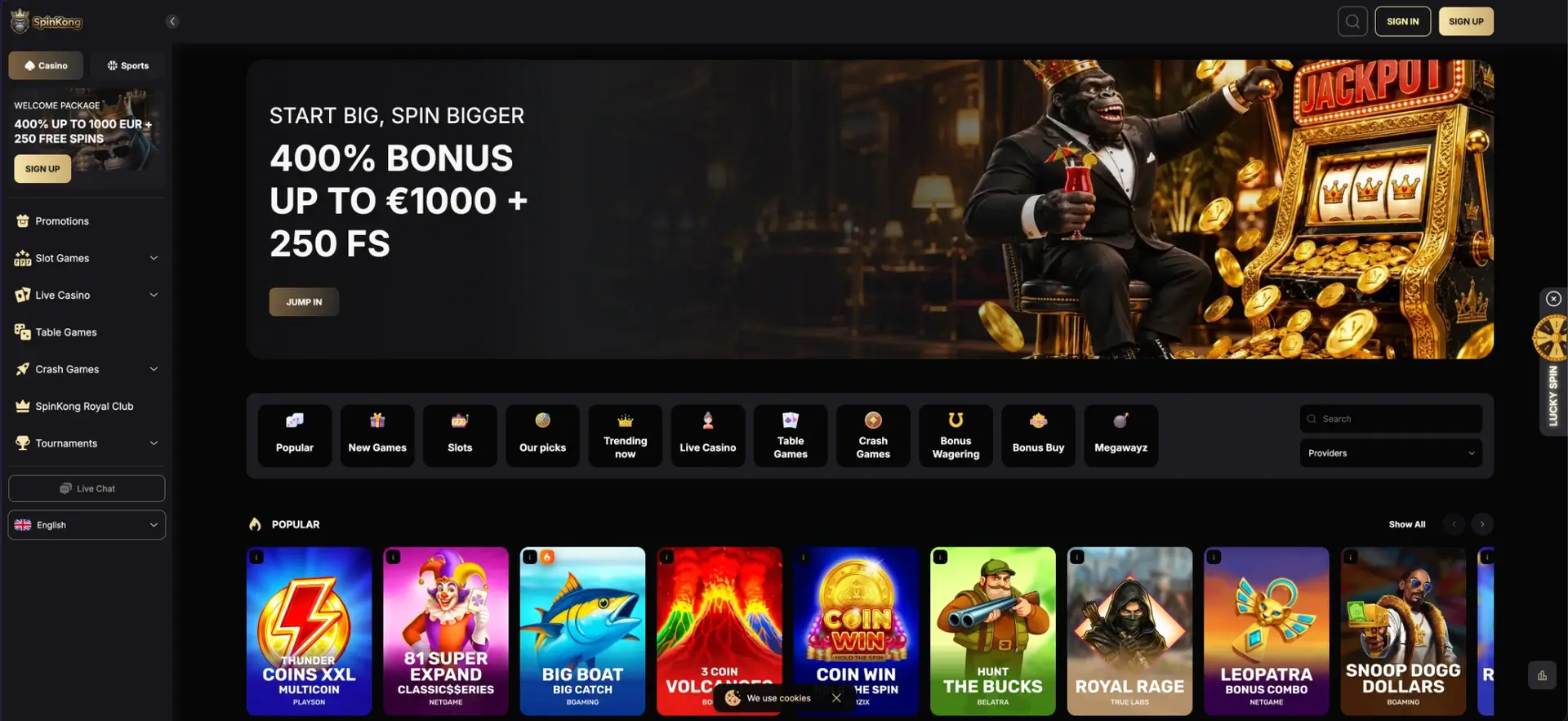
The mobile site uses the same dark and gold design as desktop. The sidebar collapses into a menu, the top bar keeps the Sign In and Sign Up buttons and the search icon, and the game category tiles become a horizontally scrollable row.
- Category tiles: Popular, New Games, Slots, Our picks, Trending now, Live Casino, Table Games, Crash Games, Bonus Wagering, Bonus Buy, Megawayz.
- Search field and Providers filter with game counts per studio.
- Casino / Sports switch at the top of the menu.
- Lucky Spin tab on the right edge for the Daily Wheel.
- Live Chat button in the menu.
Adding Spinkong to the home screen
A home screen shortcut is the closest equivalent to an app. It is a bookmark that opens the site in its own window without the browser's address bar.
iPhone and iPad (Safari)
On iOS, the shortcut is created from Safari's Share menu and appears on the home screen like any other icon.
- Open the Spinkong site in Safari.
- Tap the Share icon (the square with an upward arrow).
- Choose Add to Home Screen.
- Confirm the name and tap Add.
Android (Chrome)
Chrome on Android offers the same feature through its menu: the three-dot menu contains an "Add to Home screen" option that places an icon on the home screen. This is a browser function rather than an app installation, and no file is downloaded.
Fake Spinkong app files
Because no official app exists, files distributed as a "Spinkong app" or "Spinkong APK" are produced by third parties. Installing them carries specific risks:
- A modified login screen can capture the email and password of the account.
- Fake cashier screens can collect card details.
- APK files from unknown sources can contain malware with wide permissions on the phone.
- Deposits made through a copycat interface may never reach the casino.
The Spinkong brand already uses numbered mirror domains such as spinkong11.com, which makes copycat sites and apps harder to distinguish from the original.
Spinkong mobile performance
The mobile site loads its content from the server, so performance depends mainly on the device and connection rather than on an app build.
- Lobby: game tiles load progressively as the page is scrolled.
- Slots: HTML5 games from studios such as BGaming, Playson and Belatra run in the browser without plugins.
- Live casino: Evolution streams adjust their quality to the connection speed.
- Cashier: deposits are marked as instant on all methods.
Mobile payments and withdrawals in GBP
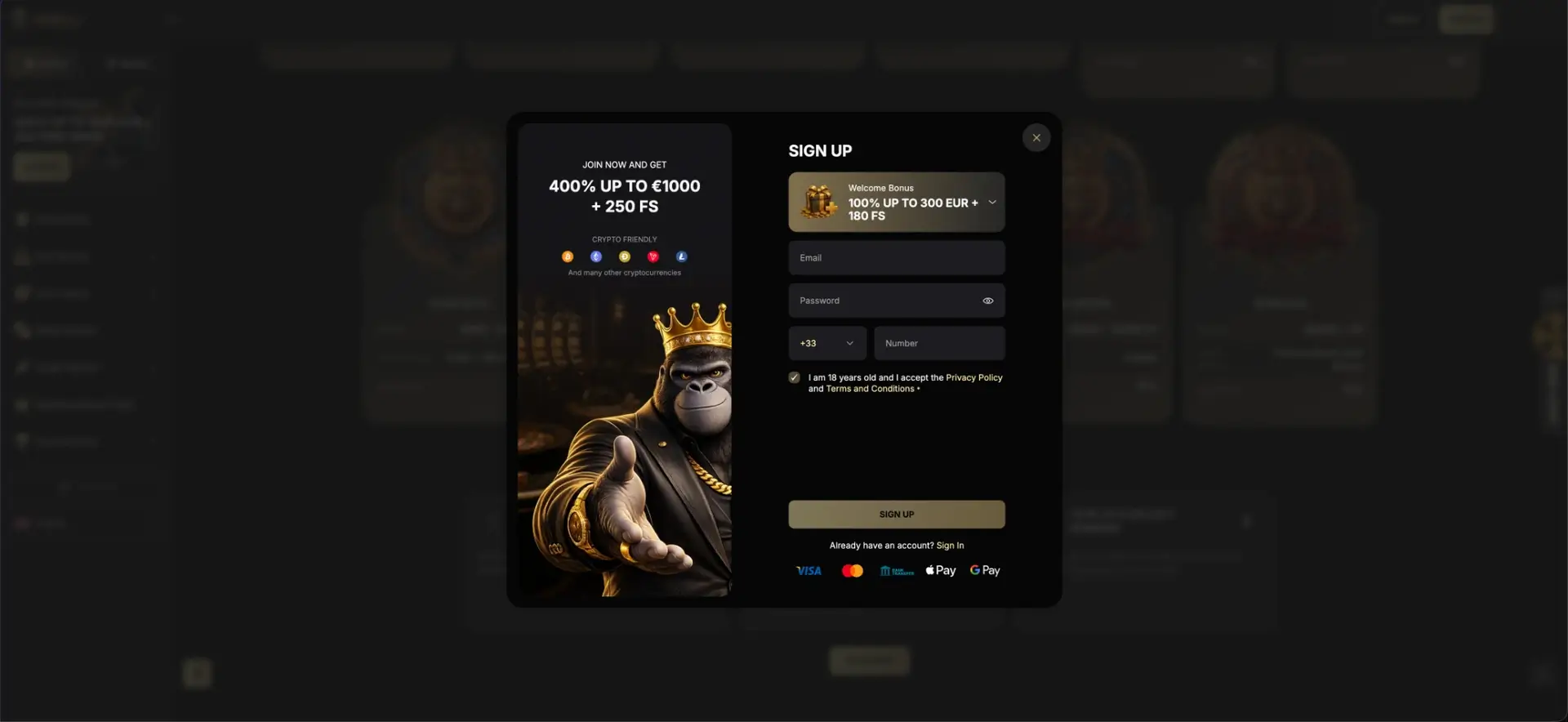
The mobile cashier is identical to the desktop one. Apple Pay and Google Pay logos appear in the registration window, but they are not listed as separate methods on the payments page; cards, bank transfer and crypto are the methods with published limits.
| Method | Deposit | Withdrawal | Withdrawal time |
|---|---|---|---|
| Visa | £20-£4,000 | £20-£4,000 | 1-3 days |
| Mastercard | £20-£4,000 | £20-£4,000 | 1-3 days |
| Bank transfer | £20-£4,000 | £50-£4,000 | 5-7 days |
| Bitcoin | From 0.0001 BTC | From 0.003 BTC | Instant |
| Ethereum | From 0.002 ETH | From 0.035 ETH | Instant |
| USDT | From 5 USDT | From 50 USDT | Instant |
| Dogecoin | From 1 DOGE | From 650 DOGE | Instant |
Litecoin, Bitcoin Cash, Ripple, Tron and Solana are also supported. All methods are listed as fee-free.
Security on the mobile version
The mobile site uses the same HTTPS encryption and email-and-password login as desktop; the login window does not include two-factor authentication. Identity verification is requested before the first withdrawal, and documents can be uploaded from the phone's camera. A unique password and a home screen shortcut that always points to the correct address reduce the risk of phishing through look-alike domains.
Mobile access and UK regulation
Mobile access to Spinkong works the same way as desktop access in regulatory terms. The site has no UKGC licence, is not connected to GamStop and offers no UK complaint route. Phones make it easier to play at any time of day, so practical controls matter more on mobile.
- Blocking apps such as Gamban can block gambling sites on iOS and Android, including sites outside GamStop.
- Many UK banks let customers block gambling transactions on their debit cards from the banking app.
- Screen Time on iPhone and Digital Wellbeing on Android can restrict browser use at set hours.
- The National Gambling Helpline (0808 8020 133) is free, confidential and open 24/7.
Spinkong app FAQ
Short answers to the questions most often asked about Spinkong on mobile.
Is there a Spinkong app for iPhone?
No. On iPhone the site works in Safari and can be saved to the home screen through the Share menu.
Is there a Spinkong app on Google Play?
No. There is no official Spinkong listing on Google Play or the App Store.
Is a Spinkong APK safe?
No official APK exists, so any file offered under that name comes from a third party and can contain malware or a fake login screen.
Does the mobile site have all games?
Yes. The mobile version carries the same catalogue of about 6,400 games, including live casino and the sportsbook.
Do Spinkong withdrawals work on mobile?
Yes. The full cashier works on mobile, with the same limits: £20-£4,000 by card and £50-£4,000 by bank transfer.
Is Spinkong licensed in the UK?
No. It holds a Curaçao licence only and is not covered by UKGC rules or GamStop.
Updated 23 October 2026.