
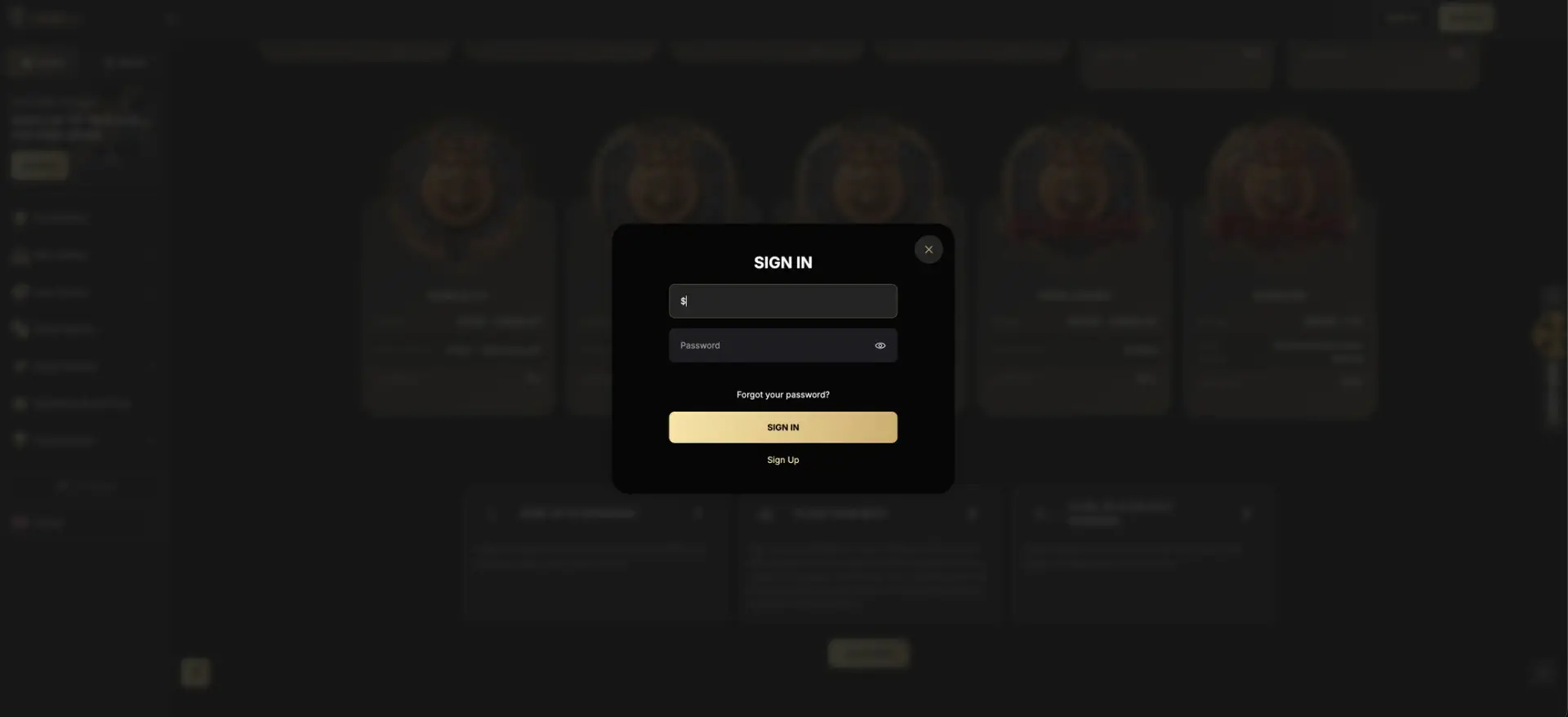
Spinkong login takes place in a pop-up window opened by the SIGN IN button in the top-right corner of the site. The window has two fields, email and password, a "Forgot your password?" link for resetting access and a Sign Up link for those without an account. The same window is used on desktop and in mobile browsers. If login fails, the usual causes are a wrong password, stored browser data or an account restriction, each covered below. Spinkong operates under a Curaçao licence and has no UK Gambling Commission licence, which affects how access problems and account closures are handled for UK residents.
The account is protected by the email and password combination; the login form does not show a two-factor authentication step. This page explains how access to an existing account works, how to recover it, why login problems occur and what changes for UK account holders because the operator is regulated outside Britain.
| Login essentials | Details |
|---|---|
| Where to log in | SIGN IN button, top-right corner of every page |
| Login method | Email and password |
| Two-factor authentication | Not part of the login form |
| Password reset | "Forgot your password?" link in the login window |
| Device support | Desktop and mobile browsers; no native app |
| Session security | Encrypted HTTPS connection |
| When verification appears | Usually at the first withdrawal |
| Currency | GBP for cards and bank transfer; bonuses set in EUR |
| Support | 24/7 live chat, [email protected] |
| UK licence | None; Curaçao licence only |
How Spinkong login works
The login process is identical on all devices. The SIGN IN button sits next to the Sign Up button and the search icon in the top bar. Clicking it dims the page and opens a compact window titled "Sign In".
The login window
The window contains only the elements needed to access an account, in this order:
- An email field for the address used at registration.
- A password field with an eye icon that shows or hides the characters typed.
- A "Forgot your password?" link that starts the reset process.
- The SIGN IN button that submits the details.
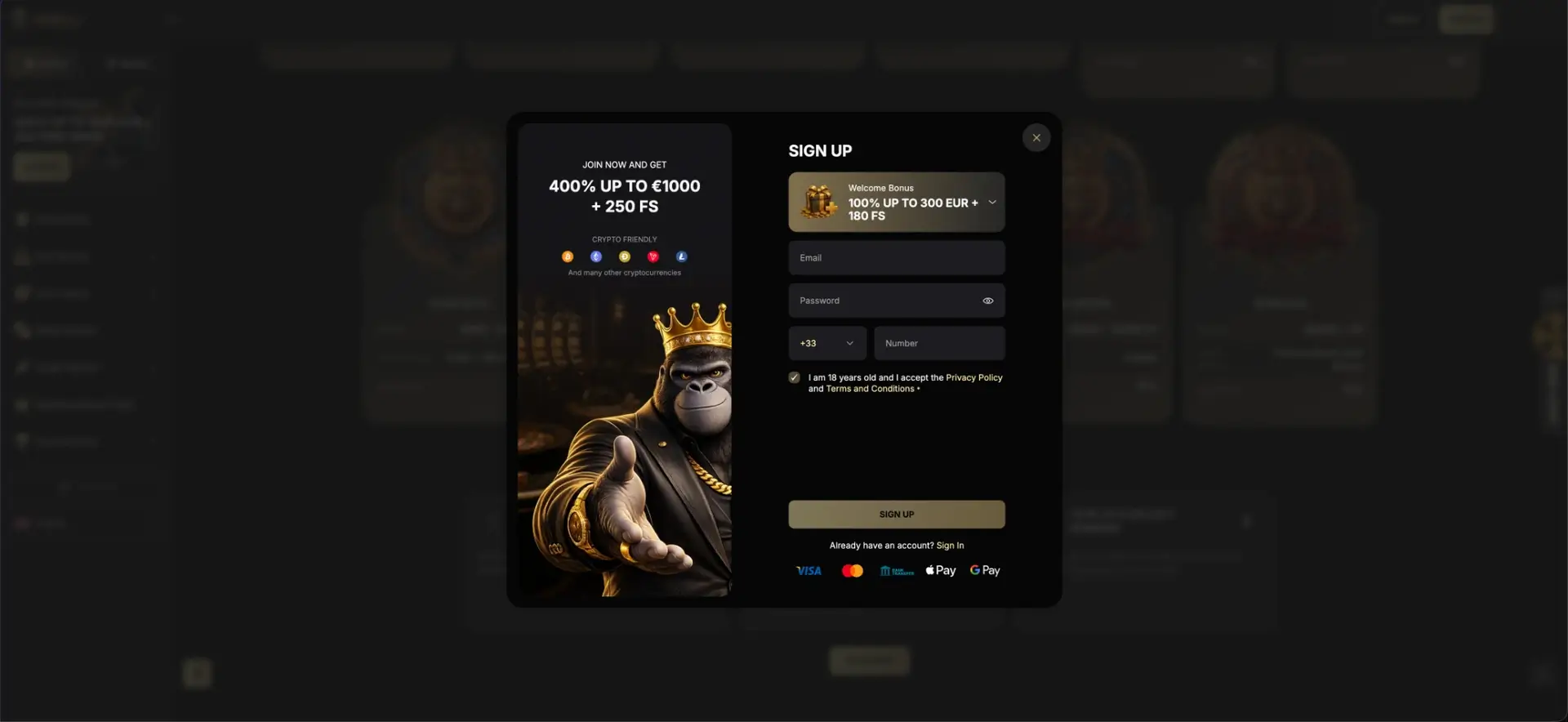
- A Sign Up link that switches to the registration form.
After a successful login the window closes, the top bar shows the balance and account menu instead of the Sign In and Sign Up buttons, and the cashier becomes available.
Account details used at login
A Spinkong account is created with three details: an email address, a password and a mobile phone number with country code. Only the email and password are used to log in; the phone number is a contact detail and may be used for verification. The registration form also includes a bonus selector, and the bonus chosen there is attached to the first deposit.
One account per person
The terms allow a single account per person. A second registration with another email address is treated as a duplicate account, and the usual consequence is that both accounts are closed and bonus winnings are cancelled. A forgotten password should therefore be reset rather than replaced by a new account.
Secure login practices
Because the login relies on email and password alone, the strength of the password is the main protection for the balance and personal data on the account.
- Use a unique password that is not used on any other site, with at least 12 characters.
- Store it in a password manager rather than in the browser on a shared device.
- Log out after each session on public or shared computers.
- Type the address directly or use a saved bookmark instead of links from emails or messages.
- Treat any message asking for the password, card details or a "verification payment" as a phishing attempt.
Mirror domains and look-alike sites
Spinkong uses numbered mirror domains such as spinkong11.com. This makes it easier for copycat sites to imitate the login page and collect passwords. A login page reached through an unfamiliar link, an advert or a message should not be trusted, and a password entered on a suspicious page should be changed immediately on the genuine site.
Password recovery
Access can be restored through the "Forgot your password?" link in the login window. The process works by email, so access to the registered email inbox is required.
Reset steps
The reset takes a few minutes if the reset email arrives promptly.
- Open the login window with the SIGN IN button.
- Select "Forgot your password?" below the password field.
- Enter the email address used at registration and submit the request.
- Open the reset email and follow the link inside it.
- Set a new password and log in with it.
If no email arrives within a few minutes, the spam and promotions folders should be checked. If the registered email address is no longer accessible, the account can only be recovered through live chat, and support may ask for identity documents to confirm ownership.
Mobile login
Spinkong has no native app, so mobile login takes place in the browser. The SIGN IN button stays in the top bar on smaller screens, and the login window adapts to the screen width.
Tips for mobile
Mobile login problems are usually caused by the browser rather than the site.
- On iPhone, a home screen shortcut created through Safari's Share menu keeps the correct address and avoids typing it each time.
- Autofill can insert an old password; typing it manually rules this out.
- Private browsing modes do not keep the session, so login is required each time.
- Any file offered as a "Spinkong app" download is unofficial, since no app exists.
Troubleshooting common login errors
Most login failures fall into four groups. The cause can usually be identified from the error message or from the way the page behaves after the details are submitted.
Incorrect credentials
An error after submitting the form usually means a typo in the email or password. Passwords are case-sensitive, and Caps Lock or a keyboard language switch changes what is typed. The eye icon in the password field shows the characters and helps spot the problem. After several failed attempts the password reset is the faster route.
Browser and cache issues
If the window does not respond or the page reloads without logging in, stored browser data or extensions are the likely cause.
- Clear cookies and cache for the site and reload the page.
- Disable ad blockers and script blockers for the session.
- Try another current browser such as Chrome, Safari or Firefox.
- Check that the system date and time are correct, since secure connections depend on them.
Site not loading or domain unavailable
Sites without a UKGC licence can become unavailable from the UK, and the operator may move to a new mirror address. Using a VPN to reach the site usually breaches the casino's terms and can lead to the account being closed and the balance withheld. Live chat or the support email is the safer way to ask about access.
Account blocked or suspended
A message that the account is blocked usually relates to one of the following: a suspected duplicate account, pending or failed verification, a breach of bonus terms, a self-exclusion requested through the casino, or registration from a restricted country. Only support can explain and lift a block, and documents are usually requested.
What is available after login
Once logged in, the account menu replaces the Sign In and Sign Up buttons and gives access to the parts of the site linked to the balance.
- Cashier: deposits and withdrawals in GBP by card or bank transfer and in eleven cryptocurrencies.
- Bonuses: active bonuses, wagering progress and promo code entry.
- SpinKong Royal Club: current level, Status Comp Points and Redeemable Comp Points.
- Daily Wheel: the Lucky Spin tab, unlocked by a qualifying deposit with code KONGSPIN.
- Transaction history: deposits, withdrawals and their status.
- Profile and verification: personal details and document upload.
- Responsible gambling settings: limits and self-exclusion offered by the casino.
Account verification (KYC)
Verification is not part of registration or login; it is usually requested before the first withdrawal or when account activity triggers a check. The standard document set includes a passport, driving licence or national ID card, a proof of address such as a utility bill or bank statement no older than three months, and confirmation of the payment method, for example a photo of the card with the middle digits covered.
For UK account holders, verification is the stage where the licence question becomes practical. If the operator's terms list the United Kingdom among restricted countries, a British address on the documents can lead to the account being closed rather than the withdrawal being paid. The restricted-countries clause in the terms is the place to check this.
Spinkong login and UK regulation
At UKGC-licensed casinos, account access is backed by British rules on identity checks, safer gambling and complaints. Spinkong operates outside that system, which changes a few things about logging in and keeping an account.
- GamStop self-exclusion does not block login to Spinkong.
- Disputes about blocked accounts cannot be taken to a UK ADR service.
- The operator's terms alone decide account closure and the treatment of balances.
Anyone who wants to stop gambling can ask Spinkong support to close or self-exclude the account, install blocking software such as Gamban, and contact the National Gambling Helpline on 0808 8020 133 for free, confidential support.
Spinkong login FAQ
Answers to the questions most often asked about signing in to a Spinkong account.
Where is the Spinkong login button?
The SIGN IN button is in the top-right corner of every page, next to Sign Up and the search icon.
Is Spinkong login possible with a phone number?
No. The login form accepts the email address and password. The phone number given at registration is a contact detail.
Does Spinkong have two-factor authentication?
The login window does not include a 2FA step. A strong unique password is the main protection for the account.
How is a Spinkong password reset?
Select "Forgot your password?" in the login window, enter the registered email and follow the link in the reset email.
Why can a Spinkong account be blocked?
Common reasons are a suspected duplicate account, incomplete verification, a bonus terms breach, self-exclusion or registration from a restricted country. Support can confirm the reason.
Is there a Spinkong app for login?
No. Login works in mobile and desktop browsers only, and an iPhone home screen shortcut can be added through Safari.
Is Spinkong licensed in the UK?
No. The casino holds a Curaçao licence and does not have a UK Gambling Commission licence, so UK protections such as GamStop and UK complaint services do not apply.
Updated 23 October 2026.